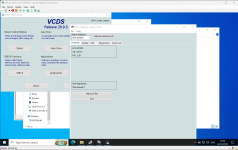
Hey Ross-Tech team!
Thanks for letting me in. I was doing my head in this Sunday trying to get SFD unlocks to run. I hope I can get more insights/help via this way.
I am encountering an issue where SFD integration and interface configuration binaries fail due to an OS-level memory access violation.
Specifically, VCIConfig.exe fails to open/start at all, and SFD_Helper.exe fails silently during an SFD session, returning exit code -1073741819 inside VCDS.
When checking Windows Reliability Monitor and Event Viewer, both executables log the exact same crash details originating from msvcrt.dll.
I reviewed the this forum thread regarding SFDHelper crash errors because the .dll pointed me towards C++ runtimes, but nothing discussed there did resolve my problems.
To not waste your time, here are the complete details, event logs, and troubleshooting steps performed:
Since both executables fail at offset 0x0008e5c2 inside msvcrt.dll upon process initialization across Windows 11 26H2 builds (26300.9550 and 26300.9711), even on a fresh Windows 11 installation, I'm totally out of options and I know my way around a PC...
Because no log.txt can be generated due to the pre-init crash, please let me know if there is anything I can test to help diagnose this further.
Fingers crossed & thanks!
J
Thanks for letting me in. I was doing my head in this Sunday trying to get SFD unlocks to run. I hope I can get more insights/help via this way.
I am encountering an issue where SFD integration and interface configuration binaries fail due to an OS-level memory access violation.
Specifically, VCIConfig.exe fails to open/start at all, and SFD_Helper.exe fails silently during an SFD session, returning exit code -1073741819 inside VCDS.
When checking Windows Reliability Monitor and Event Viewer, both executables log the exact same crash details originating from msvcrt.dll.
I reviewed the this forum thread regarding SFDHelper crash errors because the .dll pointed me towards C++ runtimes, but nothing discussed there did resolve my problems.
To not waste your time, here are the complete details, event logs, and troubleshooting steps performed:
1. Setup Details
- Primary Device: Microsoft Surface Pro (Intel Core Ultra Series 2 / Lunar Lake) w/ Windows 11 26H2 (Build 26300.9711)
- Secondary Test Device: Desktop PC w/ Windows 11 26H2 (Build 26300.9550)
- VCDS Distribution: VCDS-DRV (C:\Ross-Tech\VCDS-DRV\)
- Interface Hardware: HEX-V2
- Interface Status: Firmware up to date
- SFD Status: Officially registered with active password set inside VCIConfig (I did get this to work on my work laptop, but I cannot use that for my purposes, in case you're asking).
2. Observations
- VCIConfig.exe: Fails to launch entirely (does not show a GUI window).
- SFD_Helper.exe: Launched in the background when attempting an SFD session in VCDS, immediately aborts and returns exit code -1073741819 in the VCDS interface.
- Log Status: No log.txt or SFDLog.csv file is generated in either C:\Ross-Tech\VCDS-DRV\ or the Debug directory. Both executables crash at the operating system level during process initialization before any internal logging or diagnostic file creation can take place.
Code:
Description
Faulting application name: VCIConfig.exe, version: 2.307.0.2, time stamp: 0x02000002
Faulting module name: msvcrt.dll, version: 7.0.26100.9711, time stamp: 0xacff24f7
Exception code: 0xc0000005
Fault offset: 0x0008e5c2
Faulting process id: 0x3890
Faulting application start time: 0x1DD64A7CBA876E8
Faulting application path: C:\Ross-Tech\VCDS-DRV\VCIConfig\VCIConfig.exe
Faulting module path: C:\Windows\System32\msvcrt.dll
Report Id: 79cb21fb-9ddf-41e7-8a4c-9fdae2bc7b06
3. What I already tried
- Clean Windows 11 Reinstall:
Performed a complete, clean reinstallation of Windows 11 on the Surface Pro to rule out OS image degradation or legacy registry remnants. The crash persisted immediately upon reinstall. - Tested Across Multiple Windows 11 Build Revisions:
Replicated on a secondary x86-64 PC running Windows 11 Build 26300.9550, as well as the main Surface Pro running Build 26300.9711.
Both machines produce the exact same 0xC0000005 fault in msvcrt.dll, ruling out a single-device hardware fault or isolated patch revision. - Visual C++ Runtimes (Thread #54694 Reference):
Installed and repaired Microsoft Visual C++ 2015–2022 Redistributables (x86 and x64). - Clean Background Environment (No Software/Driver Interference):
Verified clean system state with no peripheral software, background utilities, or USB hooks running (e.g., Logitech crap or other HDI interference). - Windows Security Configuration:
Executed sfc /scannow and DISM /Online /Cleanup-Image /RestoreHealth (no remaining system file corruption).
Disabled Memory Integrity / Core Isolation and Kernel-mode Hardware-enforced Stack Protection.
Disabled Control Flow Guard (CFG) and Mandatory ASLR overrides for both VCIConfig.exe and SFD_Helper.exe under Windows Exploit Protection settings.
Explicitly added Inbound/Outbound rules in Windows Defender Firewall for SFD_Helper.exe (Private and Public).
Since both executables fail at offset 0x0008e5c2 inside msvcrt.dll upon process initialization across Windows 11 26H2 builds (26300.9550 and 26300.9711), even on a fresh Windows 11 installation, I'm totally out of options and I know my way around a PC...
Because no log.txt can be generated due to the pre-init crash, please let me know if there is anything I can test to help diagnose this further.
Fingers crossed & thanks!
J